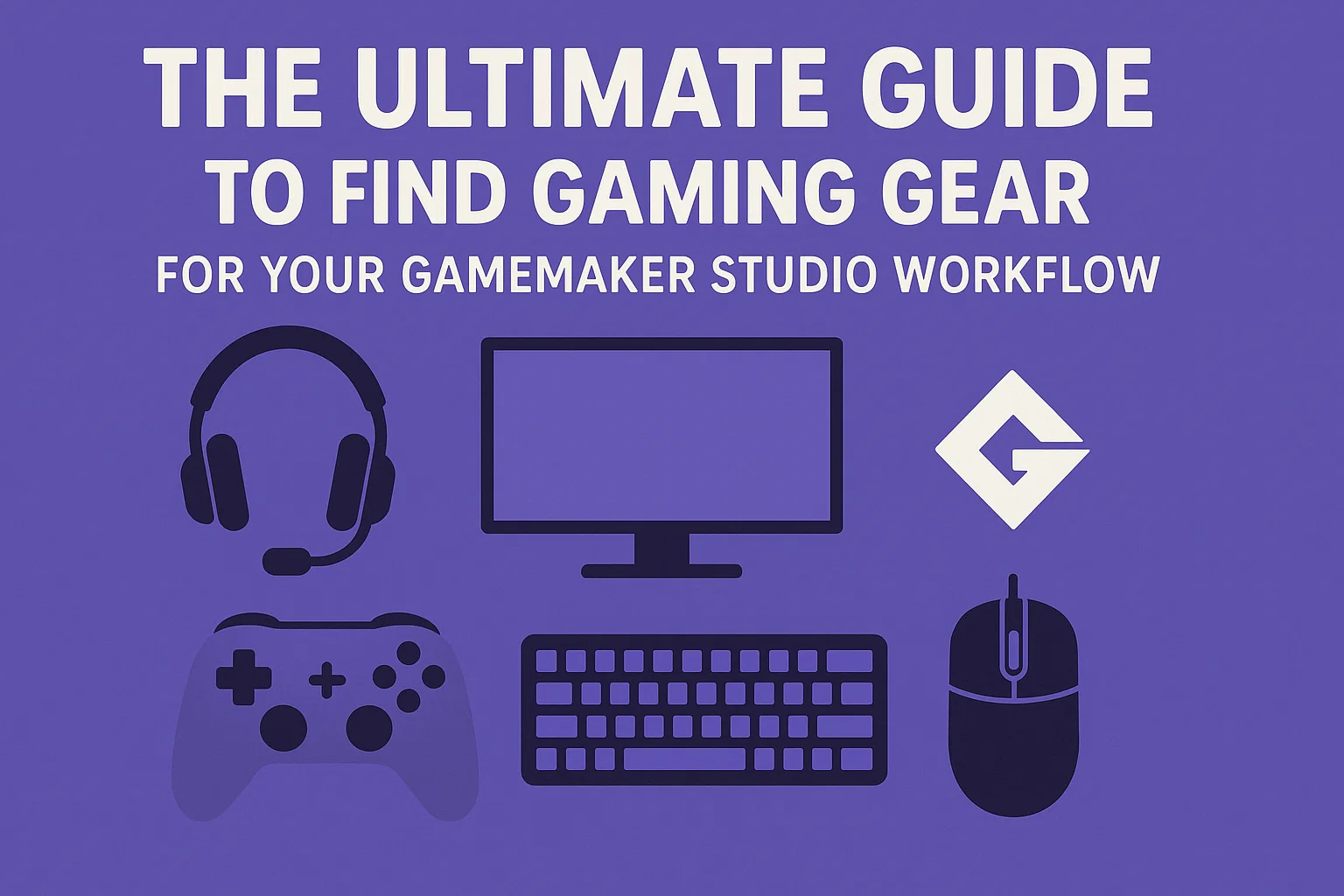
Embarking on the journey to create your own video game is an exhilarating experience. With a powerful and accessible engine like GameMaker, the barrier to entry is lower than ever, allowing visionaries and storytellers to bring their digital worlds to life. However, one crucial aspect that often gets overlooked in the initial excitement is the physical toolkit—the hardware that translates your imagination into code, art, and ultimately, a playable game. The quest to find gaming gear that complements your development process is not about luxury; it’s about efficiency, comfort, and precision. The right setup can dramatically reduce fatigue, streamline your workflow, and keep you in that precious state of creative flow for hours on end. This isn’t just about playing games; it’s about building them. For the GameMaker developer, your gear is your digital workshop, and choosing the right tools is the first step toward crafting a masterpiece.
This comprehensive guide is designed to cut through the noise and help you find gaming gear that is specifically tailored to the unique demands of GameMaker Studio development. We’ll move beyond generic recommendations and delve into how each piece of hardware interacts with your daily tasks—whether you’re meticulously coding GML, pixel-pushing in the sprite editor, spending long hours designing levels, or rigorously playtesting your latest build. From the tactile feedback of your keyboard to the accuracy of your mouse and the immersive clarity of your audio, every component plays a pivotal role. Our goal is to empower you, the creator, with the knowledge to make informed decisions, ensuring your hardware is a catalyst for creativity, not a source of frustration. Let’s build the ultimate development station, one perfect piece of gear at a time.
Understanding Your GameMaker Development Profile
Before you can effectively find gaming gear that will supercharge your productivity, it’s essential to take a step back and analyze how you work within GameMaker Studio. Not every developer uses the engine in the same way. Your specific role, your strengths, and your preferred tasks all dictate the kind of hardware that will benefit you the most. A developer who focuses heavily on complex code will have different needs than an artist who lives inside the image editor or a designer who is constantly manipulating room layers and object placements. By identifying your primary development profile, you can allocate your budget toward the components that will make the most significant impact on your daily comfort and output quality.
Are you a Code-First Coder? Your world is built in lines of GML. You value a keyboard that feels precise and responsive, reducing typos and finger fatigue during long coding sessions. You might not need the most high-end gaming mouse, but a large, high-resolution monitor (or two) is non-negotiable for keeping your code, the IDE, and the debugger visible simultaneously. Alternatively, you might be a Pixel Artist or Animator. For you, color accuracy, screen resolution, and the precision of your pointing device are paramount. A graphic tablet might be a better investment than a top-tier mechanical keyboard. Then there’s the All-Rounder, the solo developer who does a bit of everything. Your gear needs to be a jack-of-all-trades, capable of handling coding, art creation, and design with equal competence. Understanding this profile is the master key that unlocks a truly personalized and effective gear-buying strategy.
The Developer’s Command Center: Choosing the Perfect Keyboard
For many developers, the keyboard is the most intimate piece of technology they own. It’s the primary conduit through which ideas become reality, translating keystrokes into commands, variables, and functions. The goal to find gaming gear for your hands starts here. While any keyboard can type, a high-quality keyboard designed for gaming and extended use offers tangible benefits that directly translate to a better GameMaker experience. The right choice can improve your typing speed, drastically reduce errors, and—most importantly—prevent repetitive strain injuries (RSI) that can halt development in its tracks. This isn’t an area to cheap out on; consider it a long-term investment in your health and productivity.
The great debate in the keyboard world revolves around switch types, primarily mechanical versus membrane. Mechanical keyboards use individual physical switches under each keycap. They are renowned for their durability, tactile feedback, and audible “click” that many typists and coders find satisfying and reassuring. This tactile bump allows you to register a keypress without bottoming out the key, reducing fatigue over time. Membrane keyboards, on the other hand, use a pressure pad under a layer of rubber domes. They are typically quieter and less expensive but can feel mushy and are more prone to wear and tear. For a GameMaker developer, a mechanical keyboard with tactile (like Cherry MX Brown) or linear (like Cherry MX Red) switches is often the preferred choice. The feedback they provide makes long coding sessions less strenuous. Additionally, look for features like N-key rollover (which ensures every keypress is registered, even during simultaneous presses) and dedicated media controls, which are invaluable for quickly adjusting volume while testing sound effects or music in your game.
Precision and Comfort: Selecting Your Ideal Mouse
While the keyboard handles input, the mouse is your tool for direct manipulation within the GameMaker IDE. Navigating the myriad of menus, carefully placing objects in a room, editing sprite origins, and dragging vectors in the sequence editor all require pinpoint accuracy and comfort. A poorly designed mouse can lead to wrist pain, imprecise edits, and general frustration, breaking your concentration and pulling you out of the development zone. Therefore, the mission to find gaming gear that includes the perfect mouse is critical for both your physical well-being and the precision of your work. You need a device that feels like a natural extension of your hand, responding to your slightest movements with unwavering accuracy.
When evaluating mice, pay close attention to three key factors: sensor quality, ergonomics, and programmability. A high-quality optical or laser sensor with a high DPI (Dots Per Inch) range is essential. DPI refers to the sensitivity of the mouse; a higher DPI means the cursor moves further with less physical movement. For the detailed work in GameMaker’s room editor, a higher DPI allows for meticulous object placement. Ergonomics is perhaps even more important. Mice come in various shapes and sizes designed for different grip styles: palm, claw, and fingertip. You must choose a mouse that fits your hand comfortably to avoid strain. Finally, programmability is a hidden superpower. Extra buttons can be mapped to common GameMaker actions like running the game, opening the debugger, or even frequently used menu shortcuts, saving you countless clicks over a development cycle. This level of customization is what separates adequate gear from exceptional gear.
Seeing is Believing: The Critical Role of Your Monitor
Your monitor is the window into your game world, and for a GameMaker developer, it’s arguably the most important piece of hardware you will buy. This is where you will spend 100% of your time, scrutinizing every pixel, reading every line of code, and testing every animation. A subpar monitor can lead to eye strain, color inaccuracies that ruin your art, and a general lack of screen real estate that forces you to constantly tab between windows. The objective to find gaming gear for your eyes is not just about size; it’s about clarity, color fidelity, and space. A great monitor doesn’t just display your work—it reveals it, allowing you to see your project with the clarity it deserves.
The first consideration is panel technology. IPS (In-Plane Switching) panels are widely considered the best choice for developers and creators due to their superior color accuracy and wide viewing angles. This is vital for ensuring the art you create looks consistent and intended, regardless of slight viewing angle changes. TN (Twisted Nematic) panels, while often faster for competitive gaming, suffer from poor color reproduction and viewing angles. Resolution is the next big factor. While 1080p (Full HD) is serviceable, a 1440p (QHD) or 4K (UHD) monitor provides a massive boost in workspace. You can have the code editor, the asset browser, and the game window open side-by-side without feeling cramped. For the ultimate setup, many developers swear by a dual-monitor arrangement, dedicating one screen entirely to the game output and debugger while using the other for the IDE itself. This seamless workflow is a game-changer for productivity and is a key reason why you should carefully consider your display setup.
Hearing Your Creation: The Importance of Quality Audio Gear
Game development is a deeply audiovisual experience. Sound effects, musical scores, and ambient audio are half of the equation for creating an immersive game world. Relying on tinny, built-in laptop speakers or low-quality headphones is a surefire way to misjudge your game’s audio mix. You might miss subtle audio glitches, overcompensate with volume on certain effects, or fail to appreciate the full dynamic range of your music. To truly find gaming gear that completes your sensory toolkit, you must invest in audio equipment that provides accurate and honest sound reproduction. This allows you to mix your audio with confidence, knowing it will sound great on a wide variety of consumer devices, from high-end headphones to simple phone speakers.
Your choice here largely comes down to headphones versus speakers. A good pair of studio-quality headphones is often the best starting point for most GameMaker developers. They provide a detailed, intimate, and isolated listening experience, allowing you to hear every nuance and imperfection in your audio files. Look for closed-back headphones that prevent sound leakage, ensuring you aren’t disturbed by external noise and vice versa. While “gaming” headsets with microphones are popular, often their audio profile is heavily tuned for bass-heavy gameplay, which is not ideal for accurate audio editing. For a more open and room-filling experience, a set of studio monitor speakers is an excellent choice. They provide a flat frequency response, meaning they don’t artificially boost bass or treble, giving you a true representation of your sound. However, they require a well-treated acoustic environment to be truly effective. Whichever path you choose, dedicated audio gear is non-negotiable for professional-grade game audio design.
The Foundation of Performance: Your Computer’s Core Specs
All the peripherals in the world are useless without a powerful and stable computer at the core of your operation. GameMaker Studio is a remarkably efficient engine, but the demands of your project can escalate quickly. Complex physics simulations, thousands of particle effects, high-resolution art assets, and layers upon layers of graphical effects can bring an underpowered machine to its knees. Your goal to find gaming gear that forms a complete system must include a machine that not only runs the IDE smoothly but also compiles and tests your games rapidly. There’s nothing more disruptive to a creative flow than waiting minutes for a project to compile or dealing with lag and stutter in the editor itself.
The three critical components to focus on are the CPU (Processor), RAM (Memory), and Storage (SSD). A modern, multi-core CPU is the brain of your operation. It handles everything from code compilation to running the game itself. A powerful CPU will drastically reduce the time it takes to test your game, making the code-test-debug loop incredibly fast. RAM is your workspace. GameMaker, your browser with twenty tutorials open, Photoshop, and your music player all consume memory. Sixteen gigabytes (16GB) is a solid starting point, but 32GB is becoming the comfortable standard for serious developers, ensuring you never experience slowdowns from memory swapping. Finally, a fast Solid State Drive (SSD) is perhaps the single biggest quality-of-life upgrade you can make. It slashes operating system boot times, project loading times, and, most importantly, game compilation times. An NVMe SSD is the current gold standard for speed. Investing in these core components ensures your hardware is never the bottleneck in your development pipeline.
Ergonomic Essentials: Protecting Your Most Important Asset – You
Game development is a marathon, not a sprint. It involves long, uninterrupted sessions of focused work, often spent in a sedentary position. This lifestyle can take a severe toll on your body, leading to chronic back pain, crippling wrist strain (like carpal tunnel syndrome), and neck stiffness. These issues can sideline you for weeks or even permanently. Therefore, the most sophisticated mission to find gaming gear is incomplete without a serious investment in ergonomics. This isn’t about buying “gaming” products; it’s about investing in your long-term health and career sustainability. The right ergonomic setup is preventative medicine, allowing you to maintain a healthy and productive development practice for years to come.
Your chair is your throne, and it should be treated as such. A high-quality ergonomic office chair is a far better investment than a flashy “racing” gaming chair. Look for features like adjustable lumbar support, armrests, seat height, and tilt tension. Your spine will thank you. Next, consider your desk height. Your elbows should rest comfortably at a 90-degree angle, and your monitor should be at eye level to prevent you from craning your neck. If your desk isn’t adjustable, a monitor arm and a keyboard tray can work wonders. Wrist rests for your keyboard and mouse can help maintain a neutral wrist position, reducing pressure on the carpal tunnel. Finally, don’t underestimate the power of movement. Even the best chair in the world isn’t healthy if you sit in it for twelve hours straight. Set a timer to stand up, stretch, and walk around for a few minutes every hour. These small investments in your physical health will pay greater dividends than any piece of silicon or RGB lighting ever could.
Where to Find Gaming Gear That Fits Your Vision and Budget
Now that you know what to look for, the next step is figuring out where to look. The market is flooded with options, from established giants to exciting new brands, and prices can range from budget-friendly to extravagantly expensive. Knowing where to shop and how to research is key to making smart purchases that you won’t regret. A haphazard approach can lead to buyer’s remorse and a collection of mismatched, underperforming equipment. A strategic approach, however, will help you find gaming gear that represents the perfect intersection of performance, quality, and value, building a setup that grows with you as a developer.
Begin your journey with in-depth research. Websites and YouTube channels dedicated to hardware reviews are invaluable resources. Look for reviewers who conduct rigorous testing and provide objective data alongside their subjective impressions. Pay attention to long-term durability reports, not just initial unboxing excitement. Once you have a shortlist, check prices across multiple retailers. Major online stores often have competitive pricing and good return policies, which is crucial if a product doesn’t feel right when you get your hands on it. Don’t forget to check the manufacturer’s website directly, as they sometimes have exclusive sales or bundles. For those on a tighter budget, the refurbished and open-box market can be a treasure trove of high-quality gear at a significant discount, often coming with warranties. Remember, the goal isn’t to buy the most expensive item in every category; it’s to build a cohesive system where every component serves a purpose and enhances your unique GameMaker development workflow.
Zryly.com Internet: A Complete Guide to Smarter Online Connectivity
Conclusion
The journey to create amazing games with GameMaker Studio is a deeply personal and creative endeavor. It requires passion, skill, and dedication. The hardware you choose to surround yourself with is the foundation that supports that creativity. Taking the time to carefully find gaming gear that is tailored to your specific needs as a developer is not a frivolous task—it is a critical step in professionalizing your craft and safeguarding your well-being. The right keyboard, mouse, monitor, audio equipment, and ergonomic accessories work in harmony to create an environment where you can focus purely on creation, free from frustration, discomfort, and technical limitations.
Remember, your setup is a living ecosystem. It will and should evolve over time as your skills grow and your projects become more ambitious. Start with the component that will make the biggest immediate impact on your workflow, whether that’s a comfortable chair to save your back, a faster SSD to save your time, or a color-accurate monitor to save your art. There is no single perfect setup, only the perfect setup for you. By applying the principles outlined in this guide, you are empowered to make intelligent, informed decisions. You can confidently build a development station that not only maximizes your productivity and comfort but also inspires you to sit down and build the incredible games that only you can imagine.
Frequently Asked Questions (FAQ)
How much should I budget to find gaming gear for GameMaker development?
There’s no one-size-fits-all answer, as budgets vary dramatically. You can start with a solid core setup (a good mechanical keyboard, a comfortable mouse, and a 1080p IPS monitor) for a few hundred dollars. However, for a more professional and comfortable experience that includes ergonomic furniture, high-resolution monitors, and quality audio equipment, you should be prepared to invest over a thousand dollars. The key is to prioritize. Allocate most of your budget to your core computer specs (CPU, RAM, SSD) and your most-used peripherals (like your chair and keyboard first).
Is a gaming mouse necessary, or will any mouse work?
While any functional mouse will work, a quality gaming mouse offers significant advantages for a GameMaker developer. The high-precision sensor allows for meticulous object placement in the room and sprite editors, reducing frustration. The extra programmable buttons are a huge workflow booster—you can map them to common actions like running the game, debugging, or copying and pasting. Most importantly, a well-designed gaming mouse is built for ergonomics and long-term comfort, which is crucial for preventing repetitive strain injuries.
Why is an SSD so highly recommended for GameMaker developers?
An SSD (Solid State Drive) provides vastly faster data access speeds than a traditional hard drive (HDD). For a developer, this translates into several critical time savings: your operating system and GameMaker IDE will launch in seconds, your project will load almost instantly, and, most importantly, the time it takes to compile and run your game for testing will be slashed. This dramatically speeds up your iterative “code-test-debug” loop, which is the core of development, making you significantly more productive.
I’m primarily a pixel artist. What gear should I prioritize?
As an artist, your priorities shift. Your number one investment should be a high-quality monitor with excellent color accuracy (an IPS panel is a must) and high resolution (1440p or 4K) to see fine details. Secondly, you should strongly consider a graphics drawing tablet, even a small one, as it provides far more natural and precise control for drawing and animating than a mouse. While a good keyboard is still important, it may take a backseat to these two components in your initial budget allocation.
Where is the best place to find gaming gear reviews I can trust?
To find gaming gear reviews that are thorough and unbiased, seek out established hardware-focused outlets and YouTube channels known for their rigorous testing methodologies. Look for reviewers who use objective tools to measure performance (like latency tests for mice and keyboards, colorimeters for monitors) and who discuss long-term durability and real-world use cases, not just specs. Avoid reviews that seem like mere unboxings or lack critical analysis.